WebMail
  Support
Recipe: Publish a Website
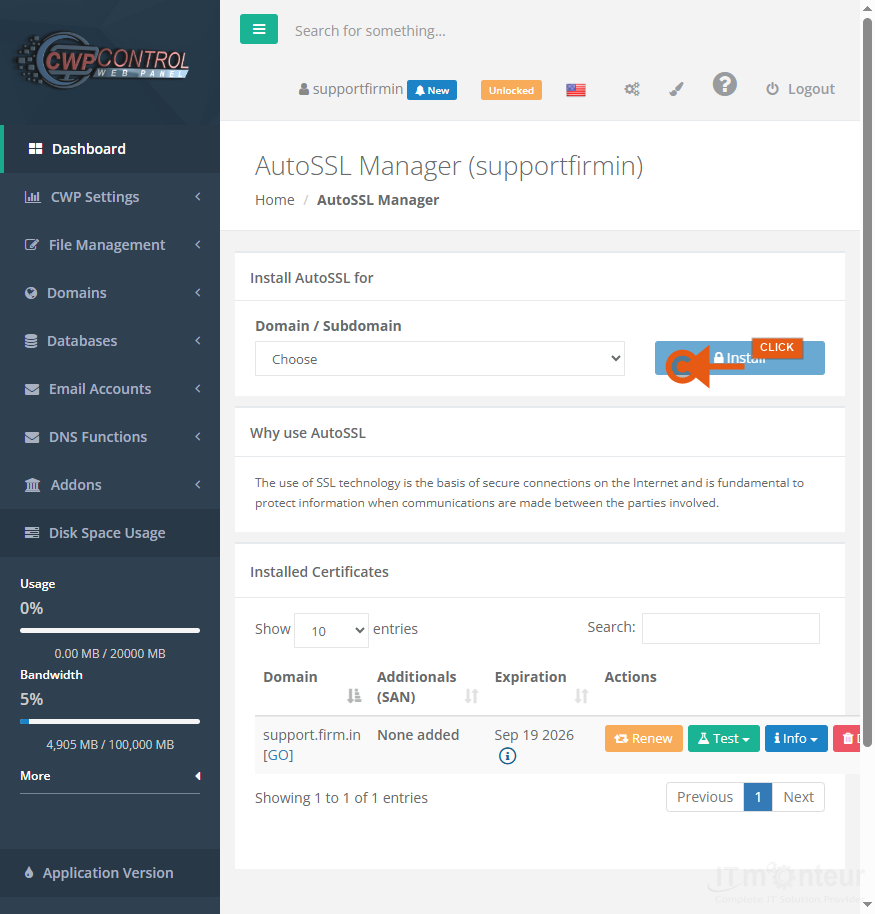
Panel path: File Manager + AutoSSL
Upload static or custom site files and enable HTTPS.
Overview
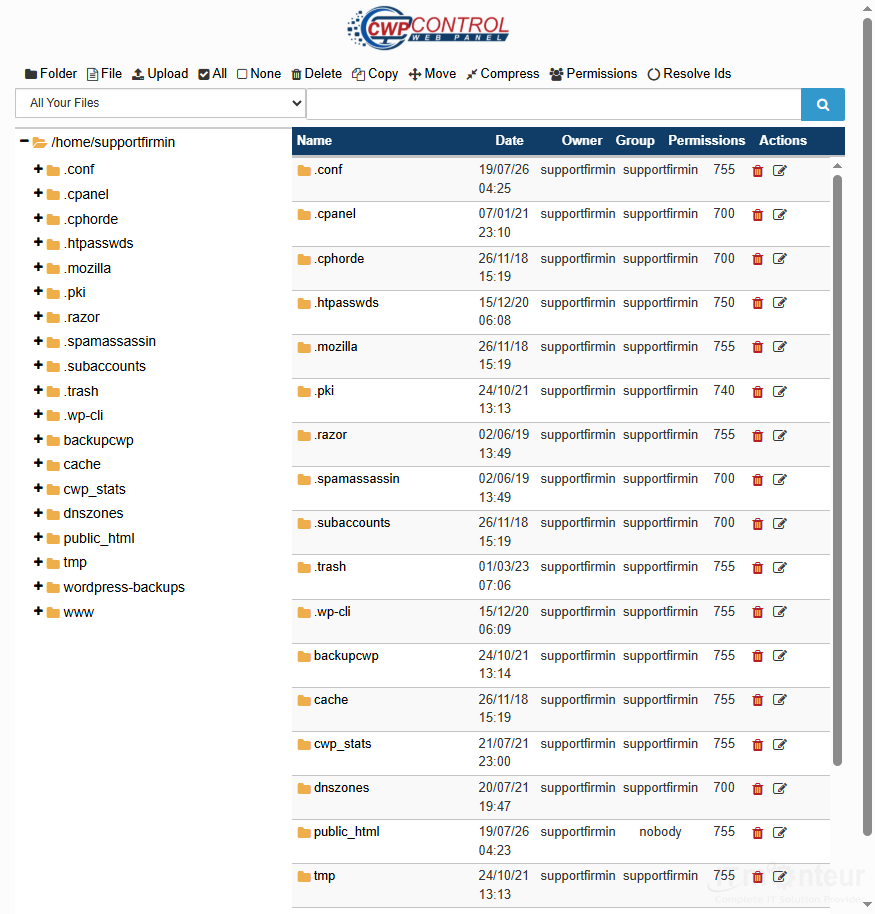
Upload files to public_html, confirm an index file exists, then issue SSL.
Publishing steps
- File Manager → public_html → upload/extract.
- Ensure index.php or index.html exists.
-
Domains → AutoSSL — issue certificate after DNS points here.

Issue SSL in AutoSSL. - Test https://yourdomain.com.