WebMail
  Support
Recipe: Install WordPress
Panel path: Mysql Manager + Scripts / File Manager
End-to-end WordPress setup using CWP Pro database tools and the Scripts installer or manual upload.
Overview
WordPress needs a MySQL database, web files in public_html, and an SSL certificate.
Installation steps
-
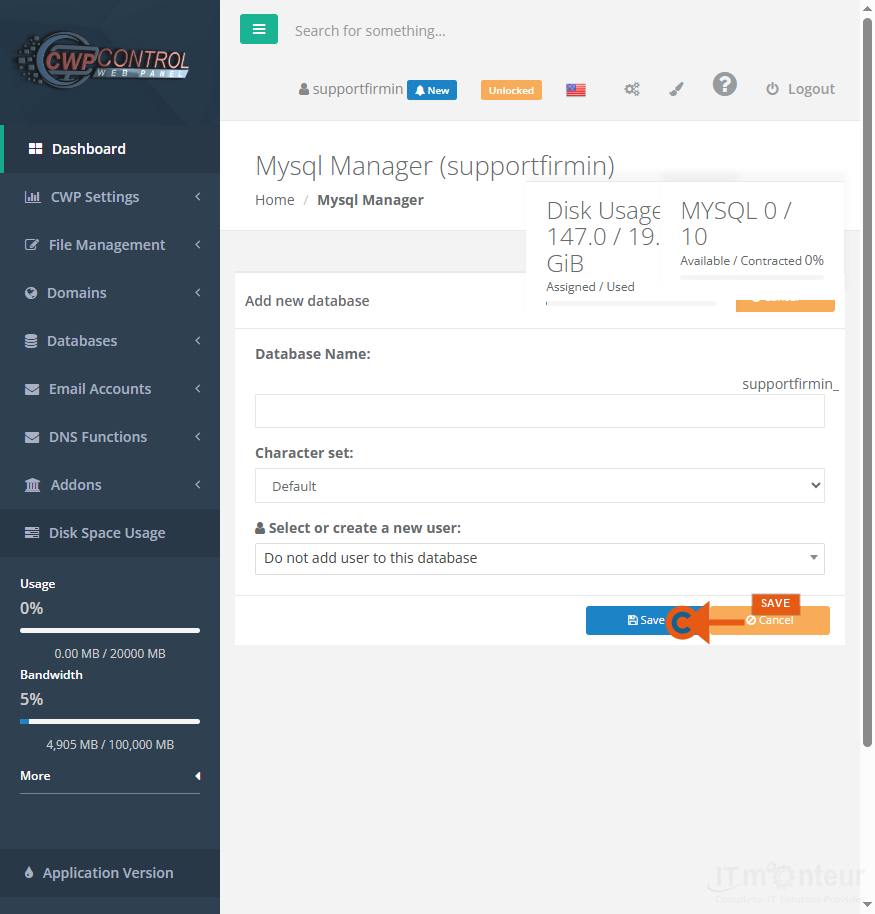
Create DB + user in Mysql Manager.

Step 1 — Create database and user in Mysql Manager. -
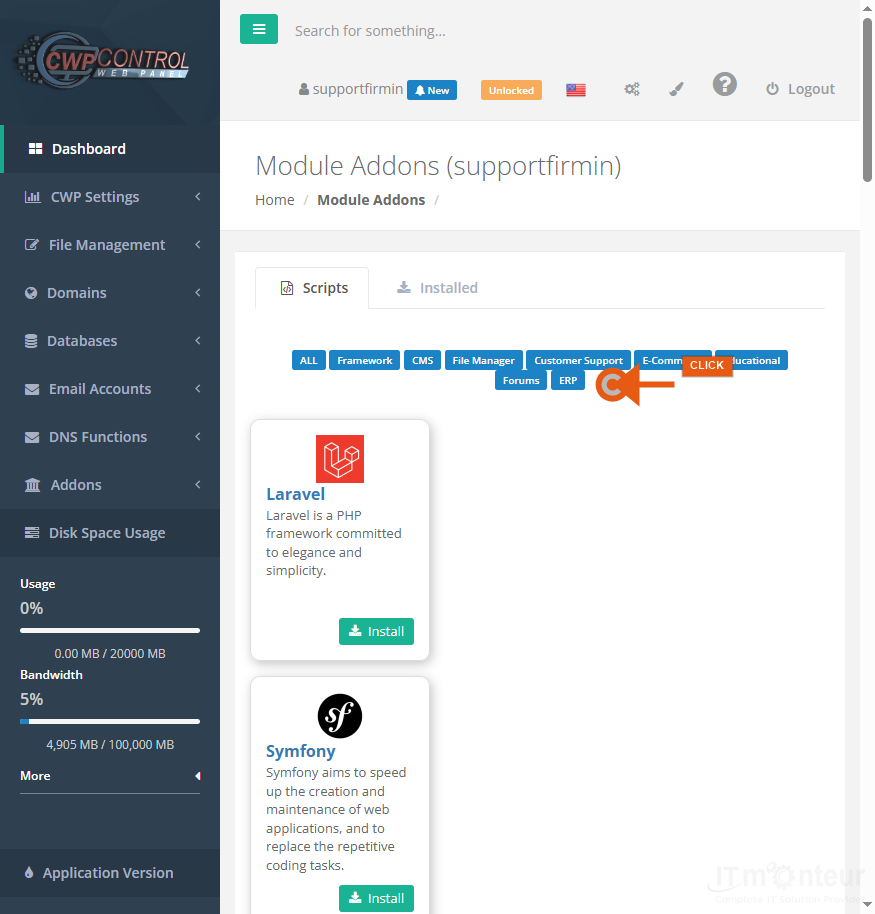
Install via Addons → Scripts, or upload WordPress manually to public_html.
-
Run the installer with DB details.
-
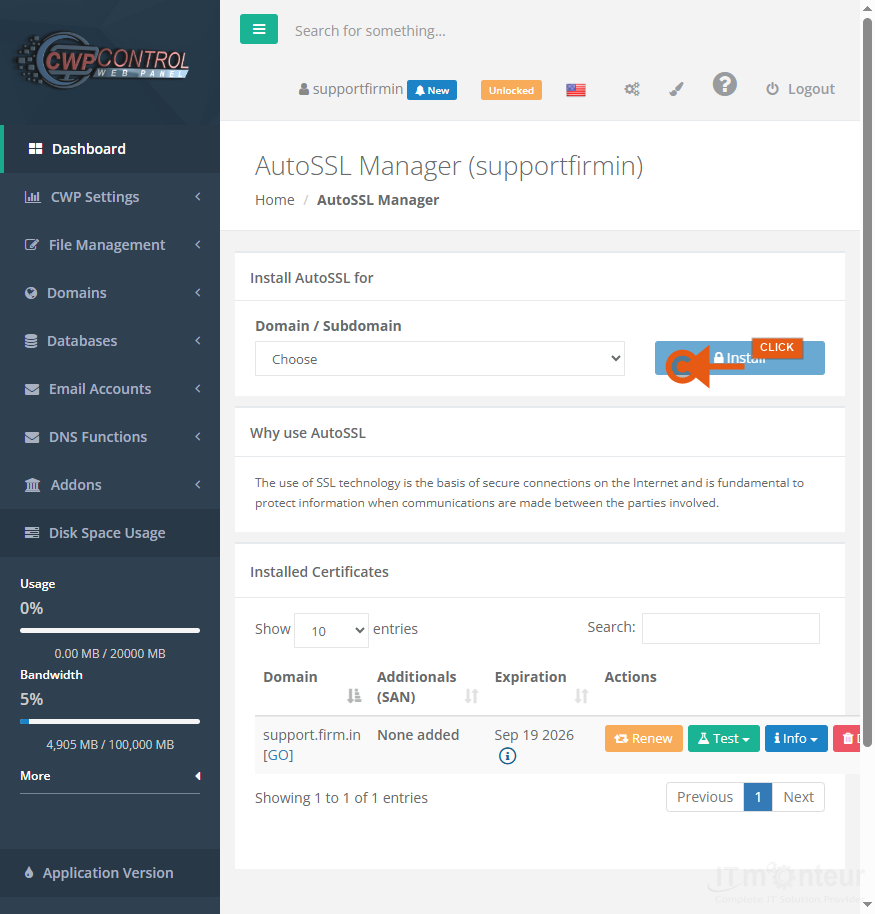
Issue AutoSSL and force HTTPS.
Step 4 — Issue Let’s Encrypt certificate in AutoSSL. -
Set a strong admin password and keep core/plugins updated.