 WebMail
  Support
DNS Zone Editor
Panel path: DNS Functions → DNS Zone Editor
Add or edit DNS records for domains whose zones are hosted on this server. Common tasks: website A records, mail MX, and SPF/DKIM TXT.
Understanding DNS Zone Editor
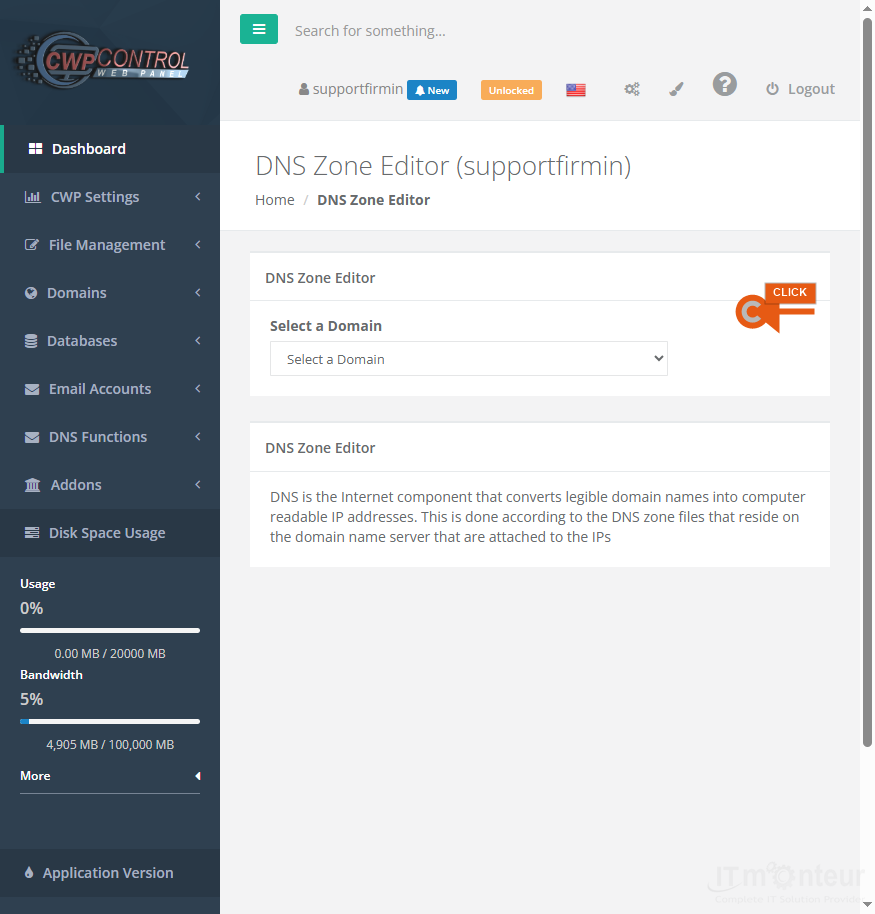
Select a domain zone, then add or edit A, MX, TXT, CNAME, and related records. Changes apply only when this server hosts the zone (IT Monteur nameservers or delegated zone).
Adding common record types
- Open DNS Functions → DNS Zone Editor and select the domain zone.
- Website: A record for @ (and www if needed) pointing to the hosting IP. Or CNAME www to yourdomain.com.
- Mail: MX record to the mail hostname provided by IT Monteur (priority often 0 or 10). Wrong MX breaks incoming email.
- SPF / DKIM / DMARC: TXT records — see SPF Setup and DKIM Setup. Do not delete existing mail TXT records unless support asks.
- External services: CNAME or TXT values supplied by Microsoft 365, Google Workspace, verification portals, etc.
- Save, then verify with dig/nslookup or an online DNS checker. Allow propagation time.
Notes
- Wrong MX/TXT breaks email. Wrong A record takes the website offline.
- If nameservers are at the registrar (not IT Monteur), edit DNS there — Zone Editor on CWP will not control public DNS.



























































