 WebMail
  Support
Mail Overview
Panel path: Email Accounts
Mailboxes send and receive mail through webmail or desktop/phone clients and store messages on the hosting mail server (within your mailbox quota).
What you can manage
The Email Accounts section covers everything from creating addresses to spam filtering and migration.
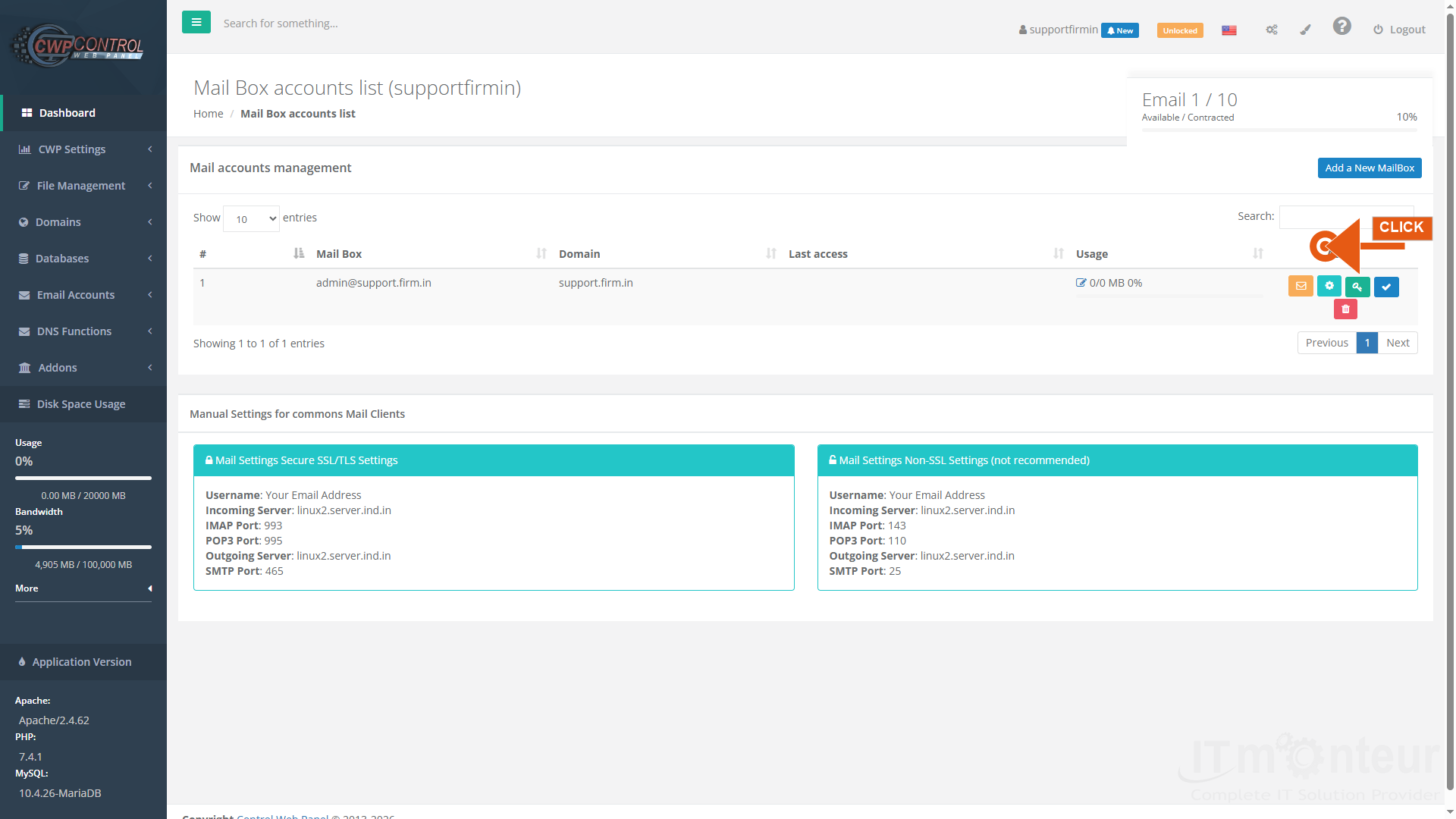
Email tools in CWP Pro
- How to Create an Email Account — add info@yourdomain.com and set quota/password.
- Roundcube Webmail — access mail in the browser.
- Outlook / Phone setup — IMAP 993 and SMTP 465 from Manual Settings.
- Mail Not Delivered / 550 Bounce Errors — fix delivery and authentication failures.
- Email Forwarders, AutoResponder, Filters — aliases, vacation replies, and rules.
- Email Routing / Spam Expert / Importer — advanced delivery and migration tools.
- SPF / DKIM overview — plus full SPF Setup and DKIM Setup under DNS Functions.
Notes
- Mail server host is often the server hostname (example: linux2.server.ind.in) — confirm in your welcome email or the Manual Settings box on the mailbox page.



























































