 WebMail
  Support
Mysql Manager
Panel path: Databases → Mysql Manager
Create databases and users, then assign privileges for CMS installs such as WordPress.
Understanding Mysql Manager
Database names are often prefixed with your CWP username. Use host localhost in application config files.
Creating a database and user
-
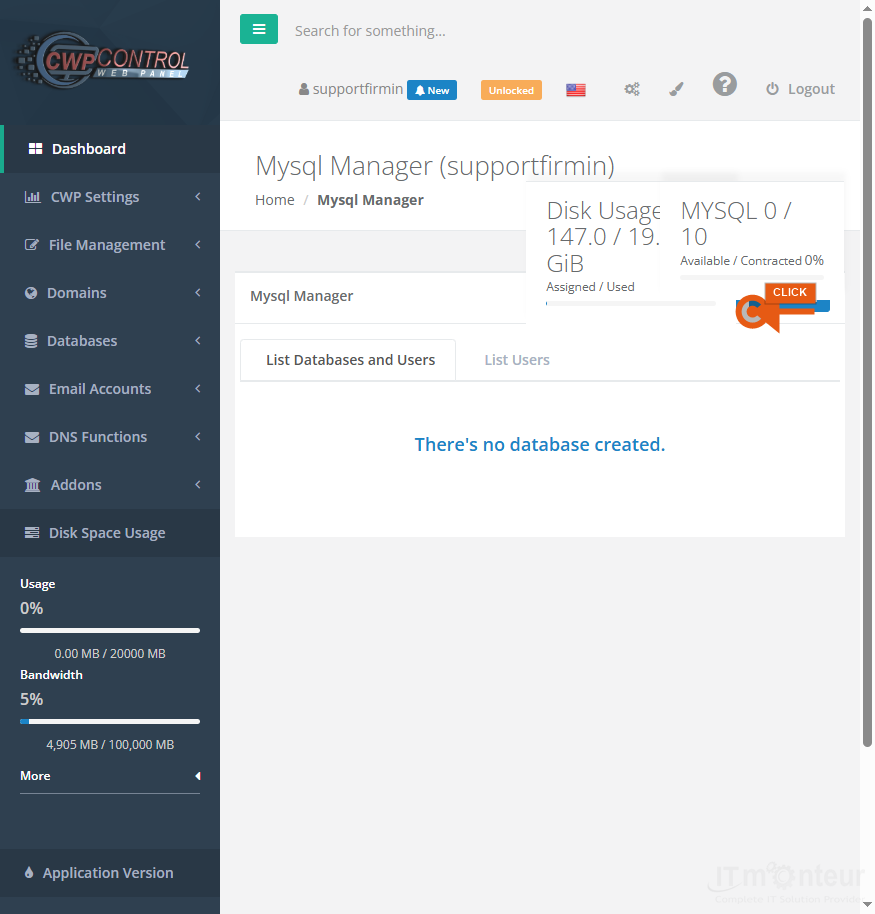
Open Databases → Mysql Manager. Review existing databases and users.

Step 1 — Mysql Manager list. -
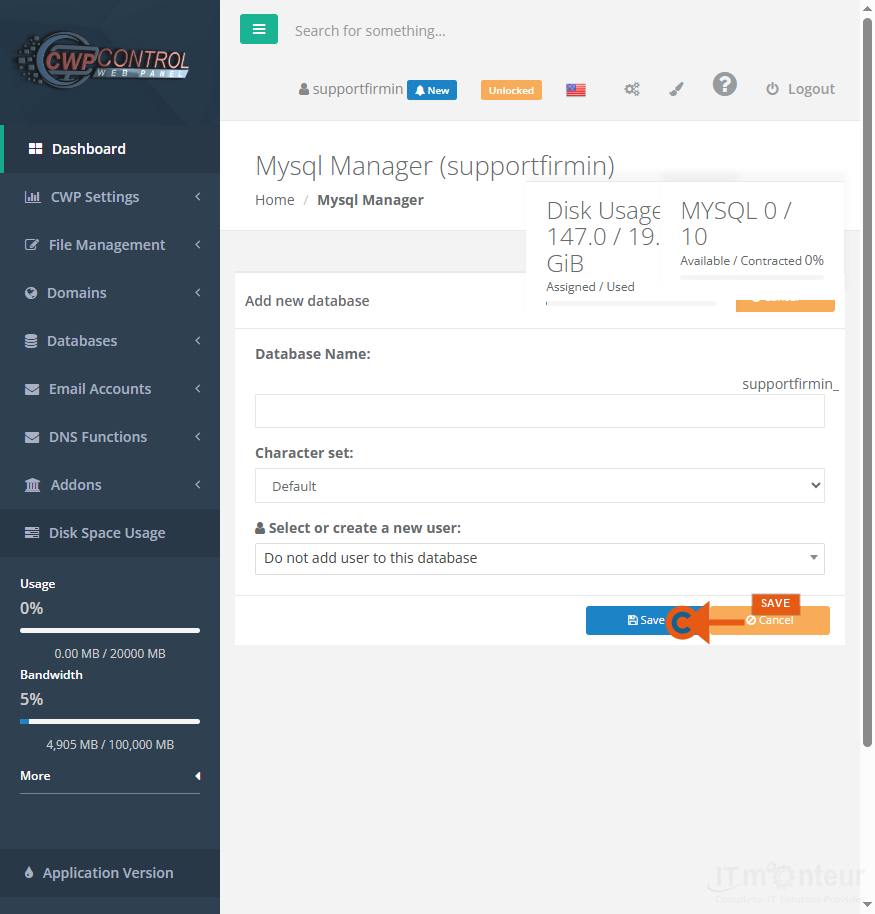
Use the add form to create a database, create a user with a strong password, and assign ALL privileges for CMS installs.
Step 2 — Add database / user form. -
Record DB name, user, and password securely — you need them for WordPress and other apps.
Managing databases
- Reset database user passwords from Mysql Manager when credentials are lost.
- Remove unused databases to stay within plan limits.
Notes
- Record DB name, user, and password securely — you need them for WordPress and other apps.



























































