 WebMail
  Support
Edit php.ini
Panel path: CWP Settings → Edit php.ini
Adjust PHP limits for uploads, memory, and script runtime within your package allowance.
Understanding php.ini
Common settings include upload_max_filesize, post_max_size, memory_limit, and max_execution_time.
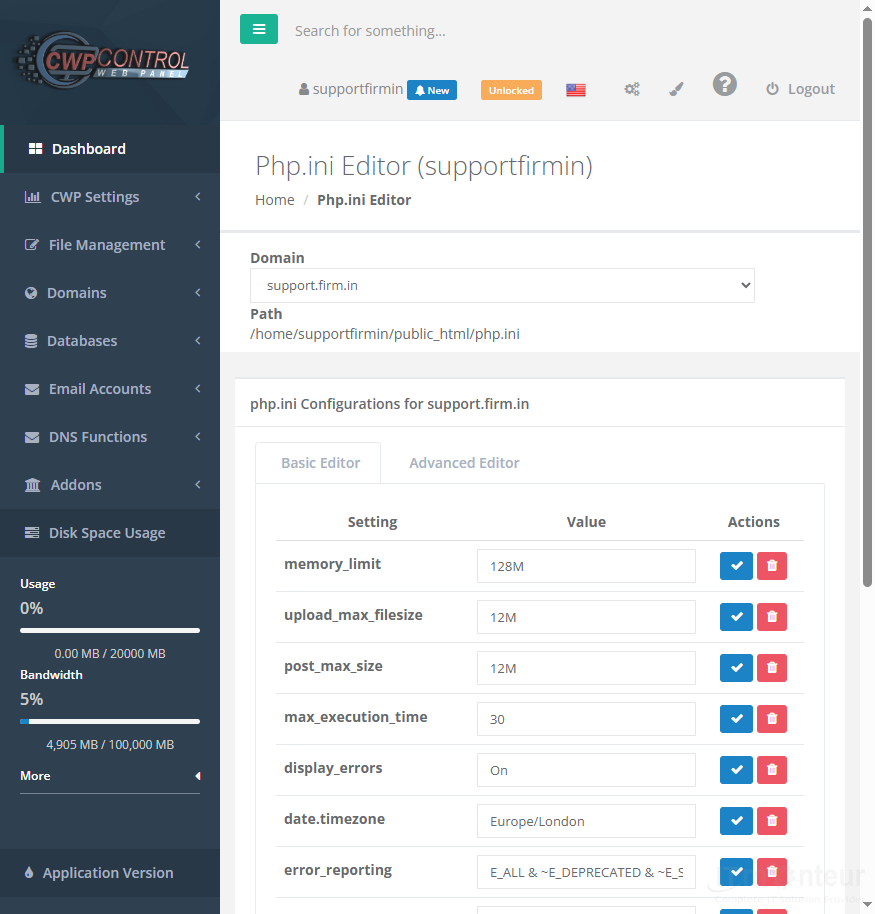
Editing values
- Open CWP Settings → Edit php.ini.
- Adjust limits within your package allowance.
- Save and retest uploads or long-running scripts.
Notes
- Some values are capped by the hosting package or CloudLinux limits.



























































